Data Management
GrainForge knows different data objects and saves them discretely with the help of Apple’s persistence frameworks within the Sandbox of the app. Objects are created when adding folders and images to the app or when creating film base colors or presets. Within the current state of the application no more persisted data models exist. To allow data deletion for the user different mechanisms for deleting objects are available.
Deleting Folders
see Deleting Folders
Deleting Photo Edits
When deleting a folder all corresponding photo edits are deleted to free up the space. Otherwise, photo edits are transparent to the user at all times.
Deleting Film Base Colors and Presets
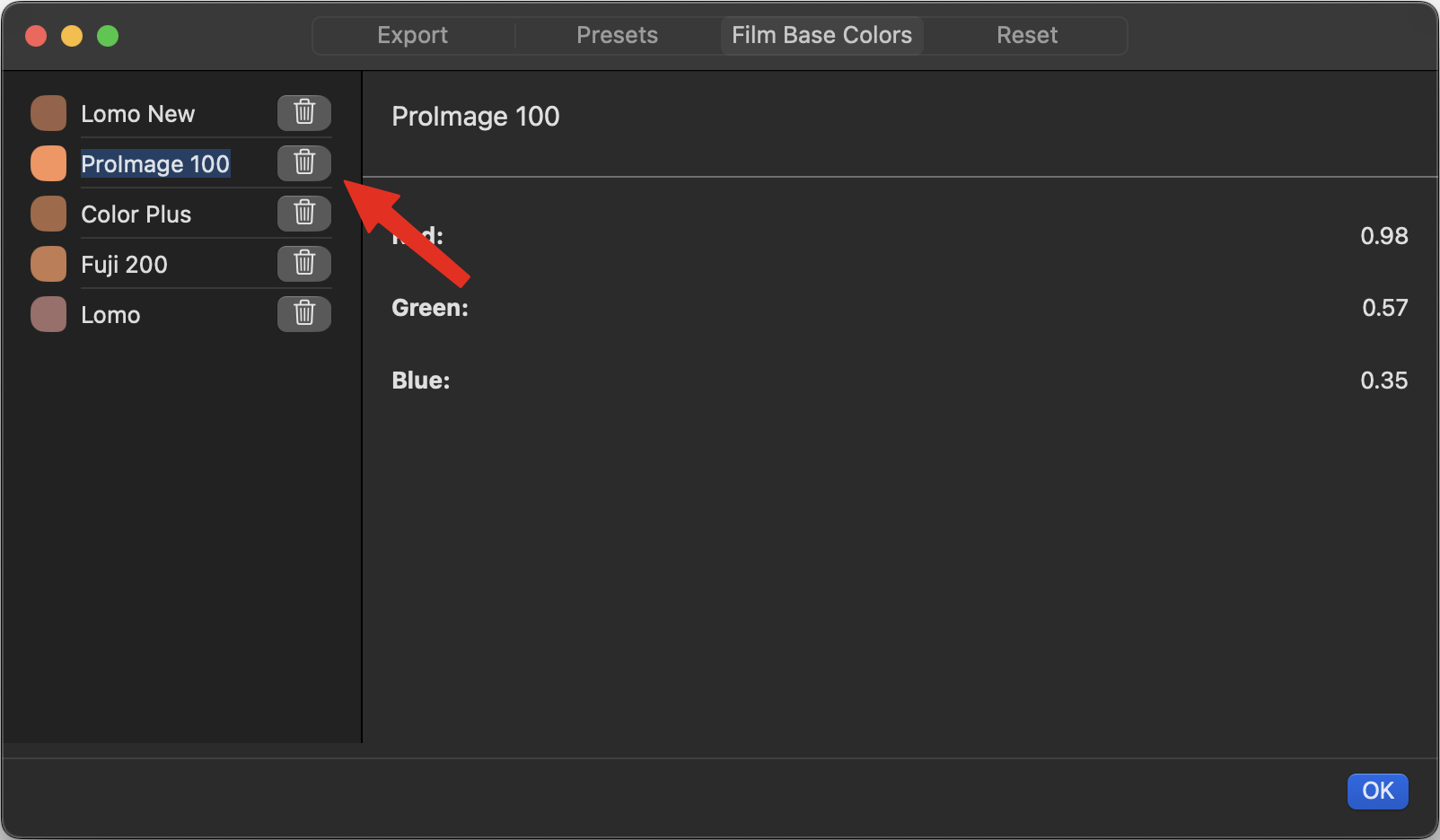
Within the preferences dialogue (⌘,) film base colors and presets that are saved can be deleted from the application. To do this you just hit the trash can symbol next to the corresponding entry:
Resetting the Application
Sometimes it may be necessary to reset the application. In the preferences dialogue (⌘,) in the tab “Reset” this can be done. Two options are available:
- Reset Settings: This just deletes all export settings and defaults them.
- Reset App Data: This creates a clean slate for the app. All created data objects are deleted including folders, film base colors, presets and photo edits. This option may be useful if the application is in a broken state that can not be recovered otherwise.
Both options require a restart of the app. The app closes automatically after the reset.