Process and Film Base Color
Process
The heart of GrainForge is the development process for different digitalized films. The application knows four different processes:
- Color Positive: The default setting usable for diapositive color film. Normal edits for color balance and lighting are possible.
- Color Negative: Inverts the colors of the image taking into account special tone-mapping and a film base color that has to be subtracted. This mode is for developing your standard color negative film.
- B/W Positive: The same as Color Positive mode, but the image has all saturation removed to ensure a true black and white image. Usable for diapositive B/W film.
- B/W Negative: The same as B/W Positive but the image gets inverted. Usable for your default B/W negative film.
The processes can be chosen and the top of the edit bar: 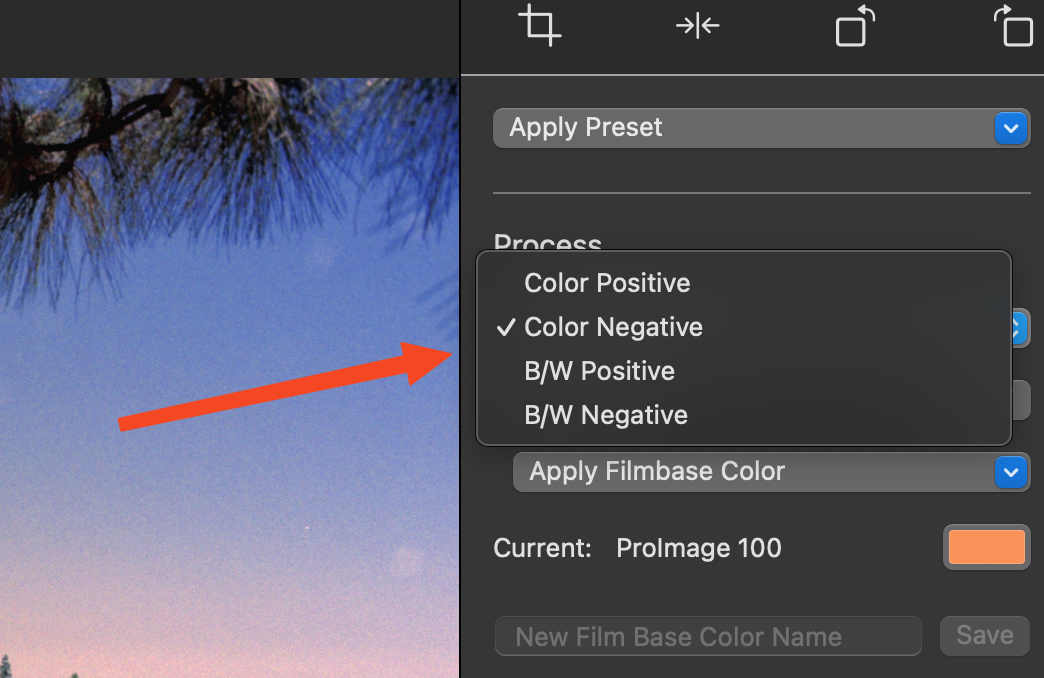
Film Base Color
Central to the Color Negative process is the selection of a film base color. This is the inherent color of your used film stock that would skew the colors in your final image. It has to be subtracted from the photo to create an image that looks good.
The best way to get the film base color is to include the outer edges of your film stock in your scan or shot. This part of the film is usually not exposed and therefore displays the pure film base color.
GrainForge allows different methods for choosing the film base color: 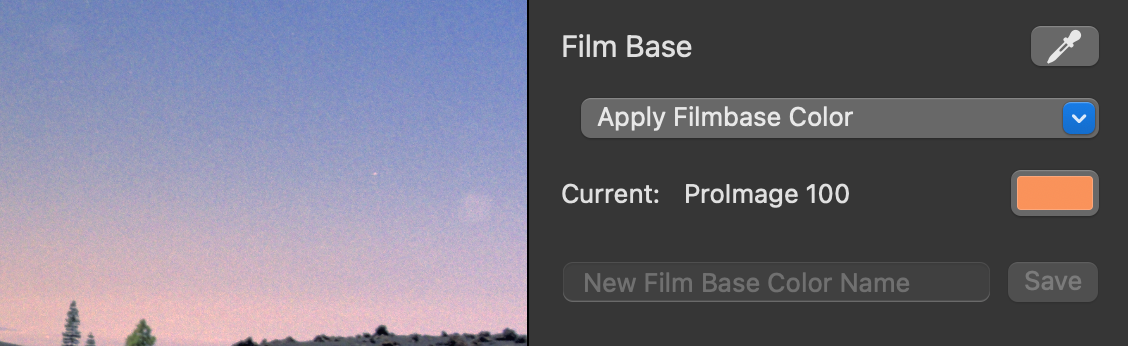
- With the pipette right to the “Film Base” caption the film base color can be directly chosen from the screen. For that the original image without any edits gets displayed until you choose a color.
- Alternatively, you can choose an already saved film base color. For that you have to save one beforehand. This should be done to minimize work for future images with the same film stock. A saved color can be applied with the corresponding drop-down.
- By clicking the color box a color picker opens up where the current film base color can be live edited.
Saving a new Film Base Color
When you found your film base color you can save it by entering a name in the text field and hitting “save”. The name now gets displayed above, and the film base color can be applied in other images.
Saved film base colors can be found in the preferences dialogue (⌘,) under the tab “Film Base Colors”
Finding the right Film Base Color
Depending on multiple factors (image/scan lighting conditions, film stock etc.) finding the film base color can take a little while. Get familiar with the mechanics and your will get a feeling for it!